Accounts, invoices and VAT for Nepali businesses
Your own CA, always at hand.
Say what happened in English, Hindi or Nepali. afnoCA writes the entry, works out the 13% VAT and keeps every rupee in order, all behind a sign-in with no password to steal.
0 passwords
Sign in with a one-time code
13% VAT
Worked out on every entry
Bikram Sambat
Dates and fiscal years
3 languages
English, Hindi and Nepali
The whole picture
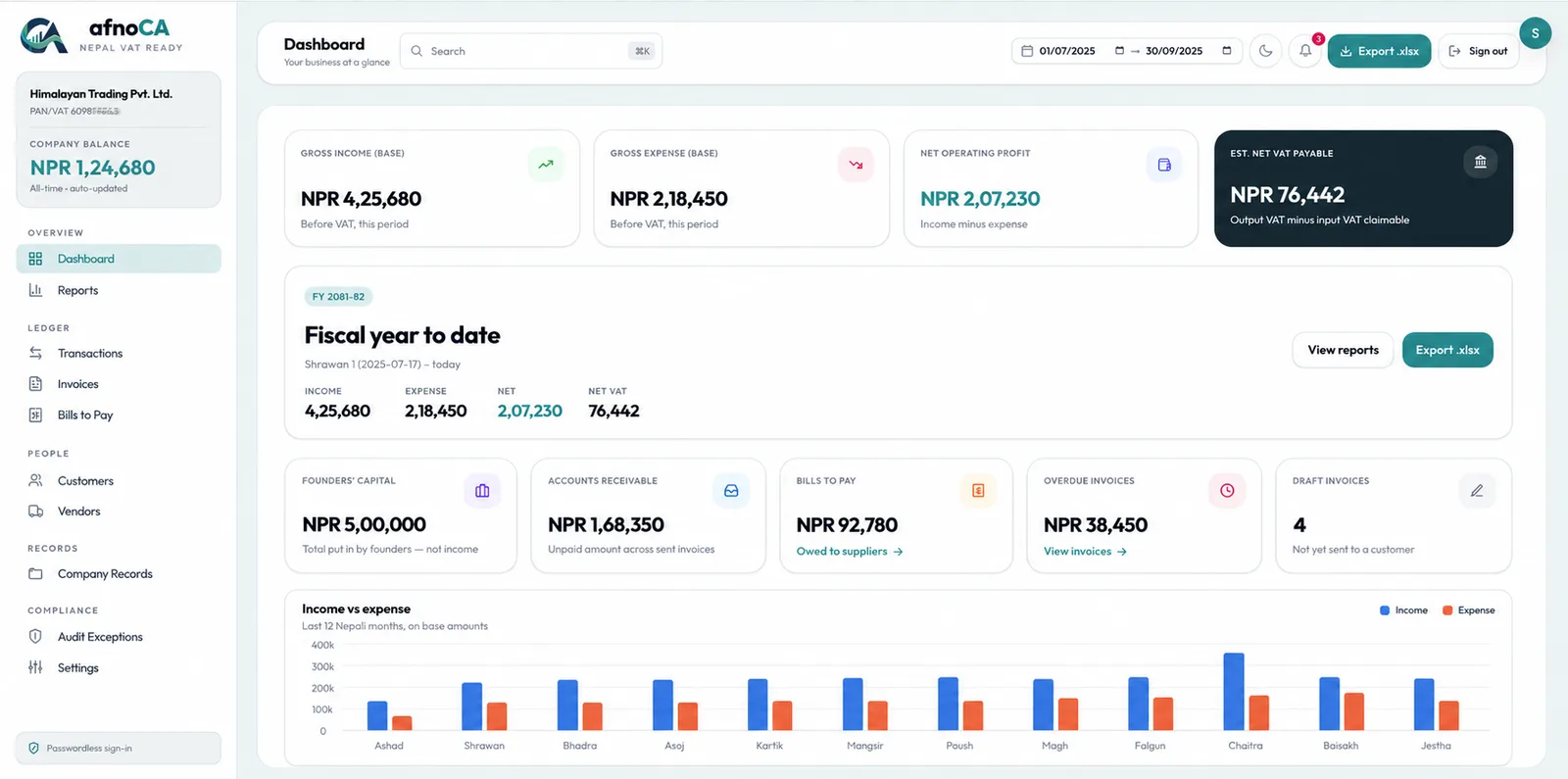
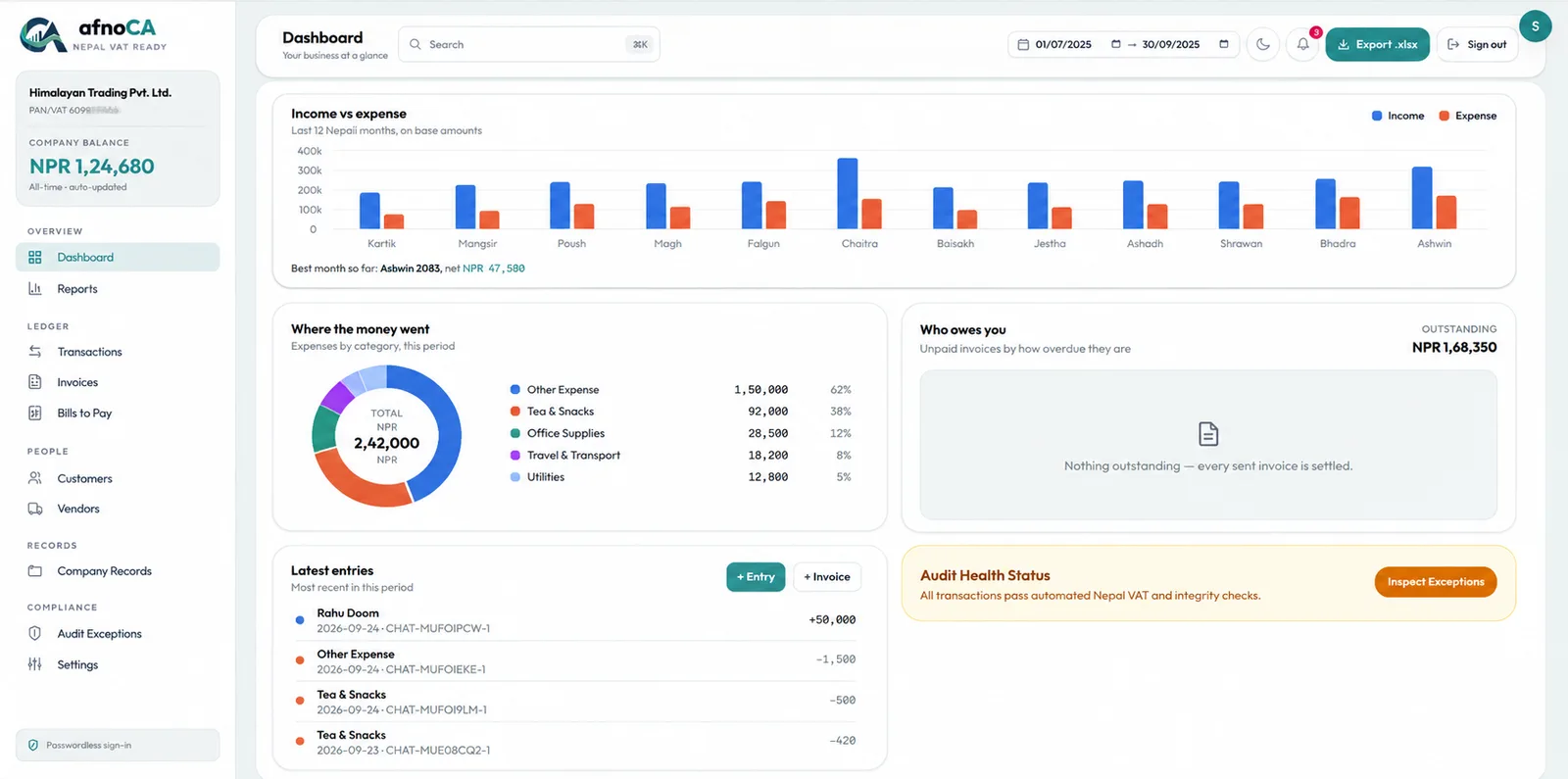
Your whole business, at a glance.
Income, expenses, balance and VAT on one screen, by Bikram Sambat fiscal year. Every number comes from the entries you have saved, so the dashboard and the chat always agree.
Chat entry
Just say what happened.
No forms, no ledgers to learn. Write it the way you would tell a colleague, in English, Hindi or Nepali, or send a photo of the bill. afnoCA prepares the entry, and you check it before it is saved.
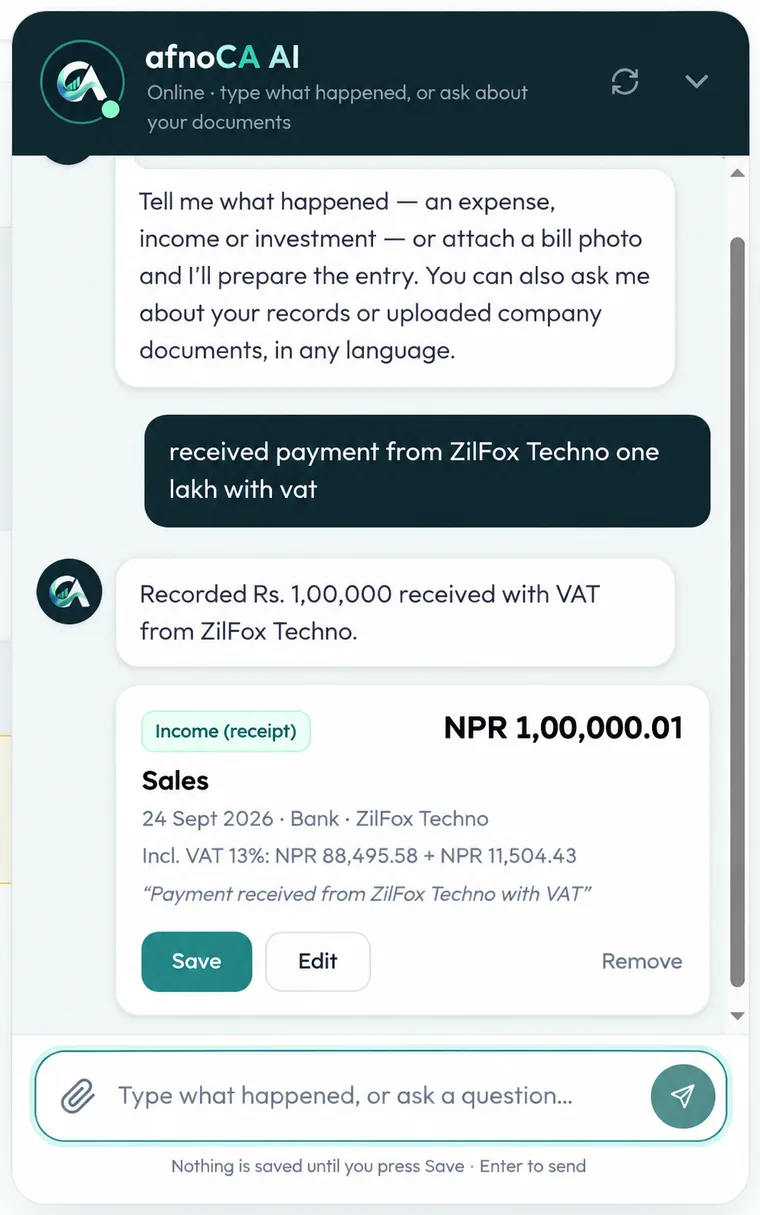
An example conversation Invoices
Invoices that get paid.
Email an invoice with a link your customer can open, record each payment as it arrives, and see at a glance who has paid, part-paid or is late. The status is worked out from the payments, never typed in.
Company records
Ask your documents.
Upload your certificates, licences and contracts once. Ask a question later and get the answer together with the document and page it came from, so you can check it yourself.
Nepal VAT
Know your VAT before filing day.
Every sales and purchase entry carries its 13% VAT, so what you collected, what you paid and what you owe is always on screen, instead of a surprise at the end of the period.
And everything around it
Bills, people, proof and reports: the parts of bookkeeping that usually live in separate places.
Bills to pay
Know what you owe, and when.
Customers and vendors
Everyone you do business with, in one list.
Proof on every entry
Attach the bill to the entry.
Dashboard and CA package
See the whole picture. Hand it to your CA.
Audit exceptions
Spot what looks wrong before your CA does.
Ask your books
Questions answered from your own numbers.
Made for Nepal
Built around how Nepali businesses actually work.
Bikram Sambat dates
Dates and fiscal years the way you file them.
13% VAT
Worked out on every sales and purchase entry.
PAN and VAT bills
Bill details kept with the entry they belong to.
Amounts in words
Invoices show the total in words, in NPR.
Three languages
English, Hindi and Nepali, right in the chat.
Ready for your CA
Export the period as an Excel package.
Shops and retailers
Note the day’s sales and purchases in a sentence each, and keep every VAT bill matched.
Restaurants and services
Track supplier bills and what customers owe you, without a spreadsheet.
Freelancers and agencies
Send invoices by email and see, at a glance, who has paid.
Traders and importers
Keep PAN and VAT bills, documents and payments together in one place.
How it works
- 1
Tell it what happened
Type a sale or an expense in plain words, or send a photo of the bill.
- 2
Check it, then save
afnoCA prepares the entry with the VAT worked out. You look it over and save it.
- 3
Stay ready for filing
Your ledger, invoices, bills and VAT stay in order, ready to hand to your CA.
Security first
No password to steal. Nothing to guess.
There is no password at all. You sign in with a six-digit code sent to your email, and each code works once and expires in ten minutes.
6-digit code
Sent to your email, never stored as plain text
10 minutes, one use
A used or old code is worthless
Sealed session
An encrypted cookie keeps you signed in
Pricing
Try it free for 30 days. Then one price a year.
Prices are in Nepali rupees (NPR) and are for a full year.
For one person keeping honest books
Starter
Rs 1,499/ year
The everyday books: entries, invoices, bills and your VAT, in order.
For businesses that file VAT and TDS
Growth
Rs 3,999/ year
Adds the compliance tools, company records and staff logins.
For businesses that work with a CA
AfnoCA
Rs 7,999/ year
The full set, with the permanent trail and a login for your accountant.
Questions, answered
Something else? Write to us.
Do I still need an accountant?
Which languages can I use?
How do I sign in without a password?
Is my data private?
Does afnoCA use AI?
Does it work on my phone?
What does it cost?
Can my CA get the numbers?
Put your books in order.
Sign in, tell afnoCA what happened, and let it keep the rest tidy.